
Up/Down Trading, Battle, and upcoming Perps
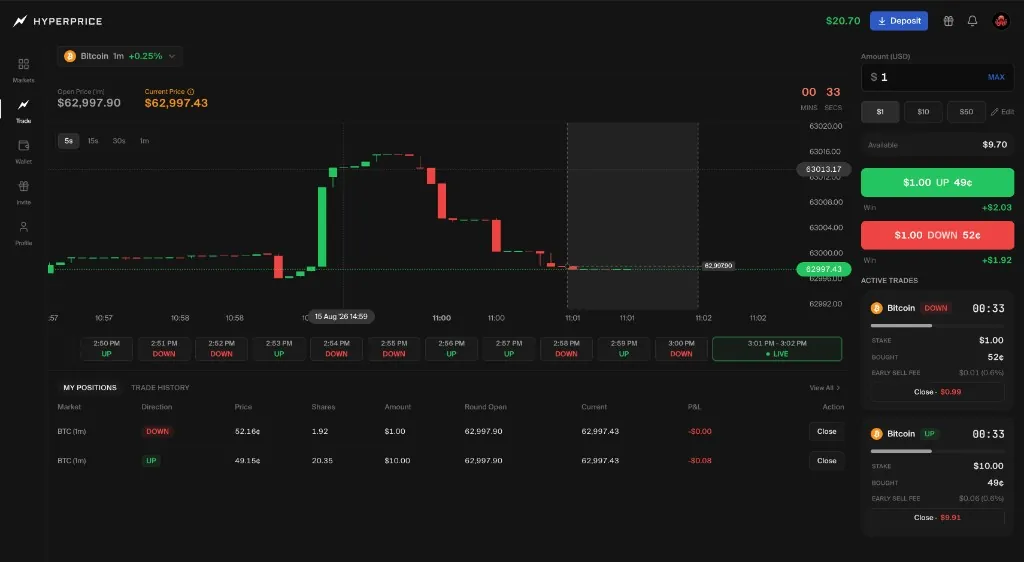
Hyperprice brings price-based trading and prediction products into one platform. Up/Down Trading uses 1, 5, and 15-minute outcome shares. Battle compares two exact-price predictions. Perps Trading is coming soon.
Browse available markets as a guest. Sign in with Google or a wallet to access trading and account services.
-
Choose your product
Start with Up/Down Trading or read how Battle works. Compare the decision you make, the time involved, and the possible result. Perps is a preview until its public launch.
-
Understand your wallet
Hyperprice records funds in USD. Deposits and withdrawals use supported USDT, USDC, or DAI pairs across eight networks. Follow the coin, network, address, and minimum shown in the app; not every coin is supported on every network.
-
Explore the trading guides
Find instructions for opening positions, entering battles, tracking results, and managing balances. Each product has dedicated guides for fees and settlement.
Different products, different decisions
Up/Down compares the market’s closing price with its round opening price. Battle compares two exact-price predictions at a shared deadline. Upcoming Perps will provide perpetual-contract trading. Each format has its own order and settlement mechanics.
FAQ
What is Hyperprice?
Hyperprice is a platform for Up/Down Trading and Battle, with Perps Trading upcoming. Up/Down uses timed outcome shares; Battle scores exact-price predictions. Perps is not publicly launched.
What is the difference between Up/Down and Battle?
Up/Down compares a closing index price with a round opening price. Battle compares two exact-price predictions with the final index price. Their fees, time limits, and result rules are different.
Where are trading fees listed?
The Fees page covers Up/Down charges, Battle’s pot fee, and wallet network costs. Detailed calculations and examples are available in the product documentation.
What languages are supported?
The main app and Learn site support 100 languages. The Docs handbook and current Battle guides are available in English. Language availability may differ by product.
How do I get help?
Start with Docs or this Learn site. After signing in, open Support from the account menu (Beta). Ticket updates appear under the bell in the header. Full guide: docs.hyperprice.io/help/support-chat-and-tickets.
How do I deposit?
Sign in, open Wallet, and pick a coin and a network on the Deposit screen: USDT, USDC, or DAI on one of eight networks, from $5. Send only the coin and network shown on the Deposit screen. A coin sent on another network is not credited. You pay the network fee of the network you send on. Withdrawals let you pick the coin and network the same way.